Email Subject Lines for Ecommerce: How to Write Them (+40 Examples)
Read summarized version with
Summary
- A subject line is the inbox headline of your email. With the sender name and preview text, it decides whether people open.
- Keep it near 40 to 50 characters and put the important words first. Across 456 subject lines in our holiday lists, the median is 42 characters.
- Say what's inside, use one hook, and only use urgency that's real. US law (CAN-SPAM) requires the subject line to match the message.
- Skip all caps, stacked punctuation, emoji pile-ups and typos.
- Write the preview text together with the subject line, and A/B test two versions when you can.
An email subject line is the short line of text people see in their inbox before they open your email. Together with the sender name and the preview text, it's what they use to decide whether to open a message or scroll past it. For an online store, it's the headline of every campaign and every automated email.
This guide covers how to write one, how long it should be, the mistakes that cost you opens, and 40 examples you can adapt.
What is an email subject line?
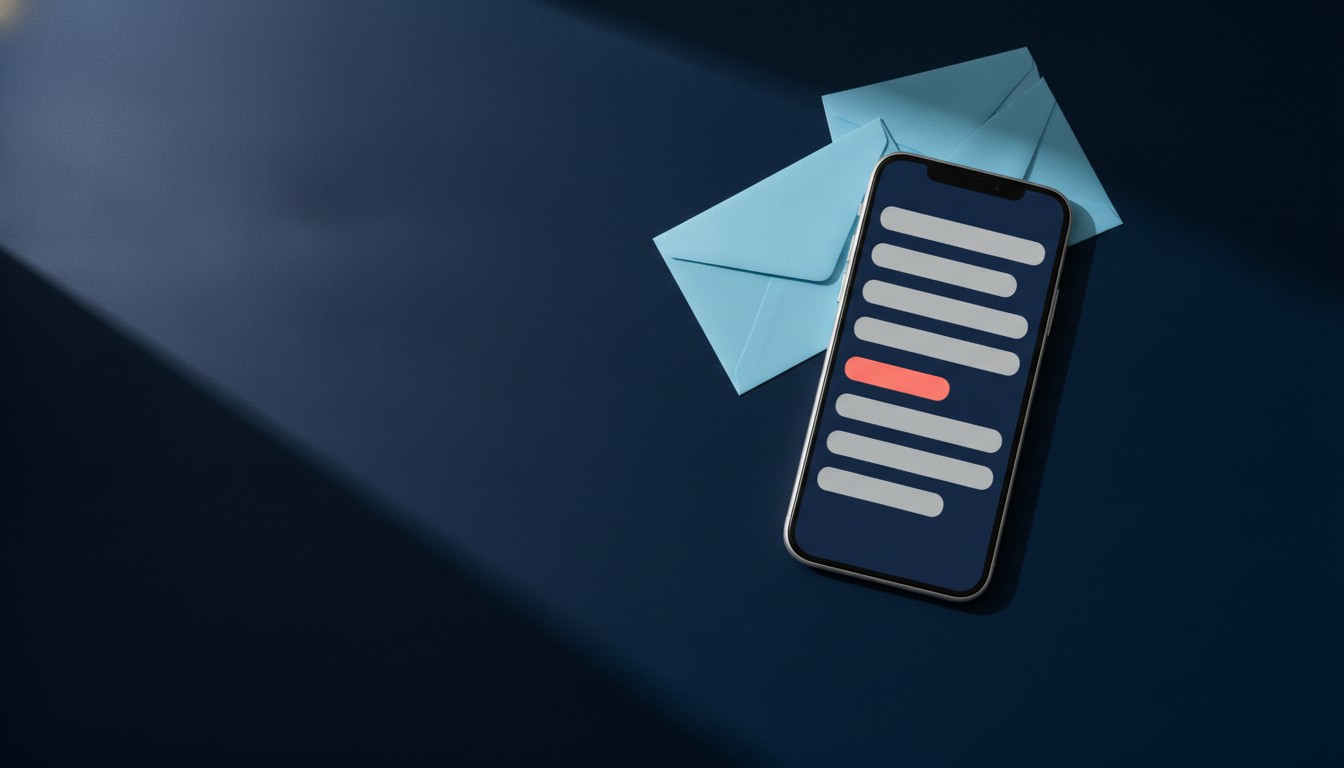
Every email in an inbox shows up as a row with three parts:
- Sender name: your store's name, or a person's name at your store.
- Subject line: the bold line, and the one you control most.
- Preview text: the gray line after or under the subject, pulled from the top of your email or set by you.
Subscribers give that row a quick glance. The subject line has to tell them what's inside and why it's worth opening now. Your product photos, your offer and your call to action only get seen if the subject line does its job first.
How to write an email subject line: 7 rules
1. Say what's inside
The most reliable subject line tells people exactly what they'll get. "20% off all candles until Sunday" beats "Something special for you", because the reader can decide in one glance. Clever is fine when it's also clear. When you have to pick one, pick clear.
2. Put the important words first
On a phone, a long subject line gets cut off, and where it gets cut depends on the email app, the screen and how long your sender name is. So lead with the part that matters: the discount, the product, the deadline. "Free shipping ends tonight on all orders" survives a cut. "We wanted to let you know that free shipping ends tonight" might not.
3. Write to one person
A subject line that sounds like it was written for a list reads like an ad. Write it the way you'd write to one customer. A first name can help, but only if your data is clean. "Hi {first name}" with a blank field shows up as "Hi ," and that's worse than no name at all. Set a fallback, or leave the name out.
4. Use one hook, not three
Discount, new arrival, free gift and a deadline in one line is four reasons to open, and readers take in none of them. Choose the strongest one for the subject line and move the rest to the preview text or the email itself.
5. Only use urgency that's real
"Ends tonight" works because people believe it. Use it when the sale really ends tonight. If the same offer is back next week, subscribers learn that your deadlines don't mean anything, and your next real one gets ignored.
6. Make the email match the subject line
In the US, the CAN-SPAM Act says the subject line of a commercial email must accurately reflect the content of the message. As of October 2026, the FTC lists penalties of up to $53,088 for each separate email that breaks the law (FTC, CAN-SPAM Act: A Compliance Guide for Business). Beyond the legal side, a subject line that promises 50% off and opens to 10% off costs you trust on every email after it.
7. Test two versions
When you're not sure which line will work, send both. SmartrMail's newsletter editor has native A/B testing: you enter two subject lines and a test size, each version goes to part of your list, and when the test window closes the winning subject line goes to everyone else. If you want to score a line before you send it, we've compared the subject line tester tools worth trying.
How long should an email subject line be?
Aim for roughly 40 to 50 characters, and make sure the first few words carry the message. That's long enough to say something specific and short enough to survive most inbox previews. There's no single cutoff that applies everywhere, so send a test to your own phone before every campaign.
To give that range a real base, we counted every example subject line in three of our holiday lists, as of October 2026: 456 lines in total. Method: only the example lists count, not the tips or the FAQ. Each line's length is its number of characters, spaces and punctuation included, with an emoji counted as one character.
| List | Subject lines | Median length |
|---|---|---|
| Black Friday subject lines | 251 | 44 characters |
| Cyber Monday subject lines | 100 | 39 characters |
| Christmas email subject lines | 105 | 36 characters |
| All three | 456 | 42 characters |
- The shortest line has 15 characters and the longest has 71.
- 188 of the 456 (41%) have 40 characters or fewer.
- 394 (86%) have 50 characters or fewer.
- 451 (99%) have 60 characters or fewer.
So in practice, almost all of the lines we publish sit under 60 characters, and the typical one lands in the low 40s. If yours runs past 60, read it again and look for words you can cut.
Write the subject line and the preview text together
The preview text is the second line in the inbox row, and it's free space. If you don't set it, many email apps fill it with whatever sits at the top of your email, which is often "View this email in your browser".
Treat the two lines as one message. The subject line makes the main point, and the preview text adds the detail that didn't fit:
- Subject: "Free shipping ends tonight" / Preview: "On every order, no minimum. Midnight PT."
- Subject: "Your cart is saved for you" / Preview: "The linen shirt in medium is still in stock."
Don't repeat the subject line in the preview text. And check both lines together on a phone, because that's where most of the cutting happens.
Subject line mistakes to avoid
These are the habits that get emails skipped, filtered or unsubscribed from.
Writing in all caps
ALL CAPS reads as shouting. It's harder to scan, and it makes a promotional email look even more promotional. Capitalize a single word if you really need the emphasis, never the whole line.
Stacking punctuation
One exclamation mark is plenty. "Sale starts now!!!" or "Ready?!?!" looks like spam because spam looks like that. The same goes for question marks used for drama and for dollar signs used as decoration.
Piling on emojis
One emoji can add tone or replace a word. Three in a row crowd out the message, and some don't render on older devices or apps, which leaves a blank box in your subject line. Our guide to using emojis in subject lines covers when they help and when they don't.
Hashtags and slang
Hashtags don't do anything in an inbox, and slang dates fast. Unless it's genuinely how your brand talks to its customers, leave both for social.
Typos
A spelling mistake in a subject line is the first thing your subscriber sees from you that day. Read every line out loud before you schedule it, and get someone else to read it too.
Being vague on purpose
"You won't believe this" or "Open me" might get a curious click, but most people skip lines that don't tell them anything. If your subject line could belong to any store's email, rewrite it.
Words that overpromise
People often look for a list of words not to use in subject lines. The words that hurt most are the ones the email can't back up: "free" when there's a catch, "last chance" when it isn't, "guaranteed" when nothing is. Use the word when it's true. Drop it when it isn't.
Email subject line examples by goal
Swap the bracketed parts for your own products and details, and only use a discount or deadline that's real. Each group links to a longer list for that type of email.
Welcome emails
- Welcome in. Here's 10% off your first order
- You're on the list, {first name}
- Start here: our 3 best sellers
- The story behind [store name]
More in our welcome email subject lines. For a subscriber's special day, see our birthday email subject lines.
Abandoned cart emails
- You left something in your cart
- Still thinking about the [product]?
- Your cart is saved for you
- Questions about your order? Just reply
How to set up the full sequence: our guide to abandoned cart emails.
Browse abandonment emails
- Still looking at the [product]?
- A closer look at what you browsed
- Picked for you, based on your visit
- Pairs well with the [product] you viewed
More in our browse abandonment subject lines.
Win-back emails
- It's been a while, {first name}
- Here's what's new since your last order
- We'd like you back: 15% off this week
- Should we keep sending you emails?
More in our win-back email subject lines.
Sale emails
- 20% off sitewide ends Sunday at midnight
- Our summer sale starts now
- Subscribers first: 24 hours of early access
- Today is the last day of the sale
Free shipping emails
- Free shipping on every order this weekend
- Free shipping, no minimum, until Friday
- You're $10 away from free shipping
- Shipping's on us for your next order
More in our free shipping email subject lines.
Thank you and post-purchase emails
- Thanks for your order, {first name}
- Your order is on its way
- How to get the most from your [product]
- How's the [product] working out?
More in our thank you email subject lines.
Newsletters
- 5 new arrivals this week
- Restocked: the [product] you asked about
- What our team is wearing this month
- This month at [store name]
For layouts to go with them, see these email newsletter examples.
Subject lines by date
Seasonal emails have their own rhythm, so we keep a full list for each date. Here's one example from each, with the link to the rest.
- Halloween: "Treats inside, no tricks" (Halloween email subject lines)
- Thanksgiving: "Thankful for you: 15% off through Sunday" (Thanksgiving subject lines)
- Black Friday: "Our Black Friday prices are live" (251 Black Friday email subject lines)
- Small Business Saturday: "Shop small with us this Saturday" (Small Business Saturday subject lines)
- Cyber Monday: "Last day of our Cyber Monday sale" (100 Cyber Monday subject lines)
- Christmas: "Order by [date] for delivery by Christmas" (100+ Christmas subject lines)
- St. Patrick's Day: "A little luck: 17% off through Sunday" (St. Patrick's Day subject lines)
- Memorial Day: "Memorial Day sale: 3 days only" (Memorial Day subject lines)
What to write in the subject line of any email
The same rules work outside marketing. For a work email, a reply to a customer or a supplier follow-up, write the subject line as a short summary of the email: the topic plus what you need. "Invoice 1042: payment due Friday" or "Wholesale order: can you ship by the 12th?" tells the reader what to do before they open it. Keep it specific, keep it short, and change the subject line when a thread moves on to a new topic.
FAQ
What is the subject line of an email?
It's the line of text that appears next to the sender name in the inbox, before the email is opened. It summarizes the email and gives the reader a reason to open it.
What do you write in an email subject line?
The topic of the email and the reason to open it, in a few words. For a store email, that's usually the offer or the product plus a real deadline, like "Free shipping ends tonight". For any other email, it's the topic plus what you need from the reader.
What is an example of a good subject line?
"20% off sitewide ends Sunday at midnight" is a good one: it says what's on offer, how much, and until when. There are 40 more above, sorted by goal and by date.
How long should an email subject line be?
Roughly 40 to 50 characters, with the key words at the start. Across 456 subject lines in SmartrMail's holiday lists, the median length is 42 characters and 99% have 60 characters or fewer (as of October 2026).
What should you avoid in an email subject line?
All caps, stacked punctuation, more than one or two emojis, typos, vague teasers, and any promise the email doesn't keep. In the US, a subject line that misrepresents the email also breaks the CAN-SPAM Act.
Should you use emojis in subject lines?
One can work if it fits your brand and adds meaning. Test how it displays on a phone before you send, and don't let it replace the words that say what's inside.
Should every word in a subject line be capitalized?
Either sentence case or title case works. Pick one and use it consistently. Avoid all caps.
Write better subject lines, then send them with SmartrMail
A good subject line gets the open. What's inside the email gets the sale. SmartrMail gives Shopify stores ready-made automations for welcome, abandoned cart, browse abandonment and win-back emails, product recommendations picked for each subscriber, and A/B testing for your newsletter subject lines.
SmartrMail is free forever for up to 200 active subscribers. Subject line A/B testing comes with the Pro plan, and the 15-day free trial gives you the full Pro plan with no credit card (as of October 2026). See SmartrMail's plans and pricing.
Launch your next campaign in a flash
15 days free. Then free forever up to 200 active subscribers. Cancel anytime, no questions asked.
You might also like
Unlock the secrets to thriving in the e-commerce world with expert insights, growth tactics, designs, templates, and much more to drive sales for your online store.