Email Subject Line Tester Tools: 9 That Still Work (2026)
Read summarized version with
Summary
- What it covers: This post reviews the 9 best email subject line tester tools you can use.
- What they test: The tools check subject lines for engagement, mobile and desktop visibility, spam score, deliverability and readability.
- Takeaway: Testing your subject line before sending helps you improve opens across different inboxes and devices.
Ten subject line testers, checked on 21 September 2026. Nine of them work. One, Touchstone, is gone: the domain no longer resolves. A tenth, IS Not Spam, still runs but has no working HTTPS, so we would not paste anything into it.
Below is what each of the nine actually checks, because they do not do the same job. Some score the wording. Some predict the spam folder. Some only tell you how the line renders on a phone. Knowing which is which saves you running a subject line through four tools to get four answers to four different questions.
We’ll talk about tools to test your subject line based on:
- Engagement
- Mobile and Desktop visibility
- Spam Score
- Deliverability
- Readability
If you want to test your subject lines, you’ll find your next favorite tester below.
Let’s get started.
What is a Subject Line and Why is It Important?
A Subject Line is the topic of your email. It acts as an introduction to your email that lets the readers know what to expect. The subject line is the first thing your readers will see when the email lands in their inbox, and it should entice the reader to open the email.
So, how important is your subject line?
Extremely.
35% of users will open an email based on the subject line alone, and 69% of emails are sent to spam based exclusively in the subject line.
For anyone with a properly built email marketing campaign, a subject line is often the only factor between an email being opened or the sender being marked as spam, forever.
If you want to get opens and engaged users, you need to test your email and make sure your subject line is the best it can be.
Best Email Subject Line Tester Tools
Here are some of the best email subject line tester tools you can find:
Test Subject – Zurb
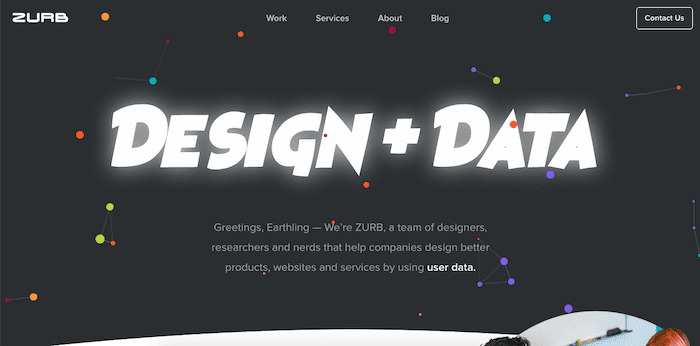
TestSubject is a simple and free online tool made by Zurb to show you how your subject line, sender name, and pre-header text will look to your readers.
Just copy and paste the text you want to test, and this tool will immediately show you how it’ll all look on the most popular email clients and mobile devices.
This is a great tool to visualize your customer experience when interacting with your emails, so you know exactly how much they’re reading.
Price: Free
Mizy – Automizy

Powered by the acclaimed Automizy’s AI, Mizy is another free email subject line tester. It tests your subject line against all emails that were sent from Automizy’s platform, so it can predict how well your subject line will do.
Once you enter your subject line, it’ll rate it from 0 to 100, giving you tips on how to improve your subject line to maximize your open rate. If you want to convince your readers to take an action (such as opening the email), take a look at these great CTA examples and adapt them to your headlines.

This tool is perfect if you’re looking for an analyzer tool that tests your subject lines not based on a to-do formula, but on actual, real campaign performance.
Price: Free
Headline Analyzer – CoSchedule
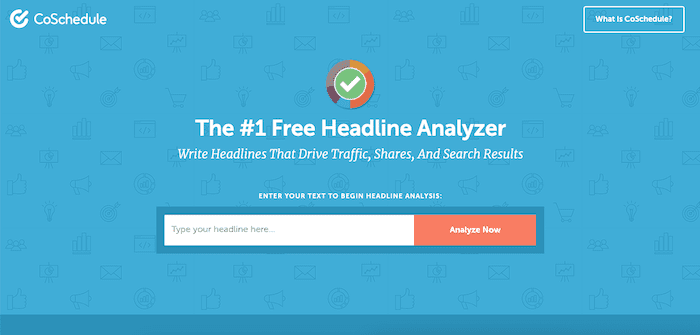
The Headline Analyzer by CoSchedule tests your subject line based on your keywords, word balance, sentiment, and effectiveness.
It’s a great tool to get an overall subject line ranking, although you will have to fill up your information before you get any results. However, it has great reviews, with one user noting how it helped him improve and use power words in his subject lines to increase open rates.
If you want to use a free, highly-rated, multipurpose subject line tested, the Headline Analyzer is among the best options for you.
Price: Free
Spam Check – Postmark

If you’re having a large amount of emails being sent to spam, you should definitely use a spam tester, like Postmark’s Spam Check.
Spam Check tests not only your subject line, but your whole email to see how likely your message is to be categorized as spam by email servers. It will give you very basic information on why your message has the score it has, and how to improve it.
Although it only checks text and no images, this is a great tool if you’re looking for a simple, no-registration option to test all your emails before pressing the “Send” button.
Price: Free
Emotional Marketing Value Headline Analyzer

EMV stands for Emotional Marketing Value. EMV words make up 20% of the English language and appeal to the emotional and empathetic side of the brain.
If you want to use these powerful, emotion-inducing words, there’s no better option than the EMV headline analyzer.
This tool developed by the Advanced Marketing Institute tests your subject line to find out its EMV score. With it, you can establish a deeper, emotional connection with your reader to get them to open the email and check what’s inside.
It then tells you which emotion your headline inspires: Intellectual, Empathetic, or Spiritual. You can then determine if your headline is the right fit for your email, and read the tips to increase the sentiment you’re looking for.
You can use it to guarantee an emotional response when writing about your customer’s pain points.
Price: Free
Email Subject Line Tester – Send Check It
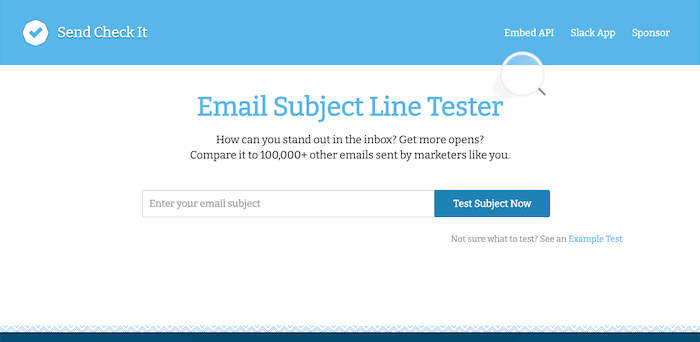
The Email Subject Line Tester, by Send Check It, is a free and simple online headline tester. It tests your subject lines against over a dozen principles, showing you previews of your headline, and giving you an overall score.
This quick tool is great to find out the readability, sentiment, and scannability of your subject line.
It also gives you great intel on spammy words and stylistic choices that you can use to improve your open rate.
Price: Free after registration.
IS Not Spam

What it tests: If your email triggers common spam filters
Is Not Spam tests your email’s likelihood of triggering spam filters by having you actually send your email to them. Within a few minutes, Is Not Spam sends you a detailed report evaluating your copy, subject line, and HTML code. It tells you which spam filters your email didn’t pass and gives you valuable insight on how to avoid issues.
With this platform, you can test your emails to check its SPF, Sender ID, DomainKeys, DKIM, and Spam-triggering factors.
This is a great tool to use if your deliverability has been going down, or if you want to avoid delivering to Spam inboxes when sending a particularly spam-looking email.
Checked 21 September 2026: this tool has no working HTTPS and only responds over plain HTTP. It still functions, but we would not paste real email content into an unencrypted form. Treat it as a last resort.
Price: Free
Hemingway App
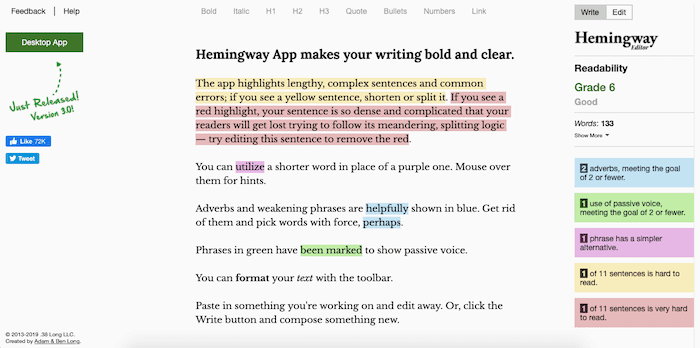
The Hemingway App tests the readability of your headline and content to help you make your email as easy to read and scan as possible.
All you need to do is to paste a copy of your draft on the editor. It’ll then highlight common writing errors, complex and dense sentences, and lengthy content so you can improve your copy. You can use it to improve your favorite email templates and find and correct your content’s potential issues.
The Hemingway App also gives you useful tips to improve your writing and tailor it to your audience’s reading level.
If you don’t like Hemingway, there are several good Hemingway alternatives out there too:
- ProWritingAid
- LanguageTool
- Grammarly
- Ginger
- WordStream
- Ludwig Guru
- Copywritely
- Textmetrics
- SEO Tagg
- Evernote
- Xtensio
Price: Free
EasyDMARC
Checking headlines for the best impact and deliverability is crucial, but let’s not forget that there’s no quick fix for deliverability. If you want a more long-term solution to this issue, you have to start at the core.
Fixing your email authentication step-by-step will lead your emails right into your recipients’ inboxes. SPF, DKIM, and DMARC protocol deployment is a steady course to improving your domain standing among internet service providers and trust toward outgoing emails on your business’s behalf.
EasyDMARC’s email authentication tools don’t require technical assistance and expert knowledge. Although the implementation takes time (depending on the size of your business, sending sources, and outgoing email volume), it protects your recipients from phishing and spoofing attacks.
In addition to deliverability improvement and avoiding phishing, email authentication deployment gives you visibility into the business email environment, control over your business identity, and adds to operations and communication security.
What we found when we checked all 10 (September 2026)
We opened every tool on this list on 21 September 2026 and tried to use it. Two did not survive the check: one domain has stopped resolving, and one has no working HTTPS. That is a fifth of a list that was accurate when it was written, which is roughly what you should expect from any free-tool roundup older than a year, including this one next year.
The useful part was what the nine working tools disagreed about.
Paste the same subject line into a word-scorer, a spam-filter simulator, and a character-count previewer and you get three verdicts that do not contradict each other, because they were never answering the same question. The word-scorer rates the phrasing. The spam simulator rates your sending setup, and will happily flag a perfectly good line because of a header problem. The previewer only tells you where the line gets cut off on an iPhone.
So pick by question, not by score:
- “Does this line read well?” A headline or emotional-value analyser. Free, instant, and as subjective as it sounds.
- “Will this land in spam?” A spam-filter simulator, and read the result as being about your domain and headers rather than your wording. If the answer keeps coming back bad, the problem is your sending setup, not the subject line, and no amount of rewording fixes it.
- “Where does this get cut off?” A length previewer. This is the check people skip and the one with the most obvious payoff.
Test with a real line rather than an invented one. Take something from our Christmas subject lines and put it through all three. A holiday line usually carries a date, a discount and an emoji, which is three things competing for the space a phone gives you before it truncates. That is the line where a previewer earns its keep, and the one a spam simulator is most likely to flag for reasons that have nothing to do with how it reads.
And the thing none of them can tell you: whether your list opens it. Every tool on this page scores a subject line in the abstract, against general patterns. None of them has seen your subscribers. A tool can tell you a line is 62 characters and reads as urgent. Only a send to your own list tells you whether that works on the people who signed up for your emails, which is why the tools in your email platform that split a list and measure the difference end up mattering more than any scorer here.
Conclusion
Your subject line can make the difference between your users clicking and reading through your email, and your users never even receiving your email to begin with.
Run a new subject line through one tool, not four. Pick the one that answers the question you actually have, and then send it to a slice of your own list, because that is the only test with your subscribers in it.
And if what you need is lines rather than a verdict on one line, start from our Black Friday subject line list and test the two or three you would actually send.
See how SmartrMail prices sending.
About Will Cannon: Previously known as the entrepreneur behind the lead generation company BWG, finding leads for companies like Dropbox, Morgan Stanley, ADP, and many other Fortune 500 companies, Will Cannon is currently the founder and CEO of UpLead.
Uplead is a B2B sales intelligence platform that helps companies identify their best-fit customers and reach out to them.
Launch your next campaign in a flash
15 days free. Then free forever up to 200 active subscribers. Cancel anytime, no questions asked.
You might also like
Unlock the secrets to thriving in the e-commerce world with expert insights, growth tactics, designs, templates, and much more to drive sales for your online store.